
In my day-to-day life I perform multiple tasks with the help of a digital device. Some of them belong to my professional sphere and others to my personal life, and for all of them I use a series of tools that make my work easier.
These are not the typical applications used by a digital analyst -for example, this post by José Ángel Pérez about Chrome extensions for digital analysts is very complete-. Here I will include utilities for images, video, communication, code, notes or privacy. In some cases there is an AI component, although this is not the focus of this post: for that you already have LinkedIn full of profiles recommending countless of these tools.
My goal is more modest: to list the ones I really find useful, define them briefly and describe in a few words the main uses I give them, with some illustrative screenshots. Most of them are free or have a reduced monthly (or lifetime) cost. Almost 60 tools categorized as follows:
- Browser
- Password Manager
- Second brain and ideas
- Video calls
- Link management
- Forms and surveys
- Presentations, design and references
- Images and file conversion
- Video and transcription
- Simple data visualization
- Code
- FTP and monitoring
- Automation and no-code
- Alternatives for PDF and compression
- System Utilities (Windows)
- App Marketplace
Browser
In this regard, I highly value privacy, the absence of interruptions and minimizing the RAM consumption of my device. My reference is this:
Brave. It is my main browser because it prioritizes privacy and blocks trackers as standard. I usually use it for logged in browsing (emails, private areas, etc.). These blocks can make you lose some functionality, but you can use other browsers in parallel. All to minimize that bottomless pit for RAM that is Google Chrome. Oh, and it has its own search engine and its own AI, Leo.
Password Manager
If you work with a dozen passwords (I manage more than 350), a password manager is something that will come in handy, since using the same password for everything is not convenient and the safest password is the one you can’t remember. There are several options, both free and paid, but the one I use is this one:
LastPass. It allows me to store, sort and generate secure passwords for all my accounts. It is one of those invisible utilities that gives me a lot of peace of mind on a daily basis. It has extensions for multiple browsers and has a free personal plan that already solves quite a few needs.
Second brain and ideas
Sometimes you need digital crutches to think. We live surrounded by information and many times you want to capture something that interests you and follow it up later, after the hustle and bustle of everyday life. These are my recommendations:
Capacities. It is my digital “headquarters” for projects, notes and ideas. I use it to organize for work tasks, document recurring processes and make personal lists. I also often capture interesting content from social networks that may be useful to me in the future, which I store and classify to develop or discard those ideas. It is very similar to Notion, but in a European version, which I now look at more closely due to privacy and data transfer issues; and for my taste it gives more flexibility when organizing your stuff: it allows you to define your own objects and hierarchies to organize yourself better. Some of these documented processes have ended up being contents of this blog :)

Miro. Occasionally, I use this collaborative whiteboard to plan processes and present them to others. I find it very handy for visualizing processes and flows.
Video calls
Here, again, I highly value privacy and encrypted communications, as well as the convenience of not having to install any additional software for you or your interlocutor. With these tools, you only have to access your browser and grant permissions to the camera and microphone:
Brave Talk. Tool integrated in Brave to make private video calls, free for up to 4 people. I use it when I want simplicity and security without installing anything. It is very similar to Google Meet.
Digital Samba. It is a Spanish platform with a very complete free plan that will allow you to create several rooms at the same time and use them for different purposes: personal, work, etc.
Whereby. Very simple service for quick meetings (maximum 45 minutes in the free plan). I find it useful because it works in the browser and requires no installations.
Link management
These applications are very useful for sharing content and gathering your profile information in one place:
Bitly. What started as a simple link shortener has mutated into a tool with multiple functionalities, such as generating QR codes and link-in-bio links. A must-have in your digital toolbox.
Linktree. Link-in-bio tool, I use it to centralize links in a single profile, something practical in social networks or email signatures.
Forms and surveys
In many occasions you have to create surveys or forms to capture information in a timely manner. My recommendation here is:
Tally.so. My quick choice for creating uncomplicated online forms. I use it for both testing and more serious surveys. Its interface is based on Notion. With a very complete free plan, it allows you to set up conditional questions and has many options for integration with other tools, especially no-code ones.
Presentations, design and references
On a day-to-day basis you will have to deal with presentations and text documents, which in many cases will take up time and can become cumbersome. Here are a couple of suggestions to simplify:
Canva. My go-to resource for generating quick designs, presentations and social media material. Templates are such a time saver. Just search and bookmark templates, slides and styles and you will get much more functional and attractive designs than with PowerPoint SmartArts.

Zotero. Bibliography manager that I use when I have to write any academic text. It centralizes articles and references, which saves me a lot of time (and headaches) when preparing citations and harmonizing them under different citation standards. It has its own software and a Word extension.
Images and file conversion
Here we come to one of my weak points: image design and management. The tools I mention below help me to defend myself with dignity when I have to do some image creation, adaptation or editing:
CloudConvert. A marvel to convert files from one format to another without the need to install programs. It is versatile and supports a wide variety of types. Its free plan allows you to make 10 conversions per day and has an API with which you can make a lot of integrations with tools like Zapier or Make.

TinyPNG. Online tool to compress PNG or JPG images without losing quality. I use it a lot before uploading them to the web.
Squoosh. Similar to TinyPNG, it gives me more control over image optimization: formats, compression and quality. Very useful for projects where every KB counts.
Photopea. Online editor that works like a light Photoshop. I use it for quick retouching without having to open heavier software.
Square Photo. I use it to adapt images to the square format, especially when preparing content for blogs or product images.
Mokuphone. Tool that allows me to create mockups of apps on different mobile devices. Ideal for presentations.

Waifu2x. I use it to enhance low resolution images, scaling them with the help of AI. It works well with graphics and photos.
ImageConvertLab’s background remover. Remove.bg is shutting down its website on December 1, 2026 (its technology is being transferred to Canva), so now I use this free alternative to remove backgrounds from product photos. It doesn’t require an account, and according to the site, it processes the image right in your browser without uploading it to any server. The result downloads as a transparent PNG.
Remove.bg. My quick solution for removing photo backgrounds automatically. Saves me having to edit by hand.
Krita. If you are looking for a free alternative to Photoshop, don’t use GIMP: use Krita. It has many of its components and allows you to do advanced layered image editing.

ColorZilla. Browser extension to capture colors directly from the screen. Very practical in web projects.
WeShop AI. I recently purchased this application through AppSumo. It goes great for enriching real eCommerce product images with backgrounds that make them more attractive.
SyncSignature. An email signature creation and management tool that will allow you to have a professional signature even for your personal accounts. The free plan allows you to create a signature for personal use, and the paid version allows you to manage signatures for an entire organization. It has pretty good results if you are not a designer.

Video and transcription
Descript. Audio and video editor that automatically transcribes. I use it to transcribe long videos and audios so I can make summaries from them. The free plan allows you to transcribe up to 60 minutes per month.
Kommodo. This tool (an extension for Chromium-based browsers) to record video presentations I also got it from AppSumo. I use it when I want to explain processes or share visual training, being able to share videos through its unlimited cloud. In this cloud, you can also store videos that have not been recorded by this tool and view them online normally.

FlashBack (Express Recorder). It is a tool very similar to the previous one, with the difference that you have to install software. It also allows you to do more advanced editing and trimming of video projects and even schedule a recording between one hour and another. It has a free plan and a fairly affordable lifetime payment license.
VLC Media Player. My universal player for any media format. A light and simple application that nicely integrates subtitles and audio tracks in the files.
Simple data visualization
Sometimes, we are also asked to make visualizations that are a bit more varied than those of Excel or Google Sheets. If advanced visualization tools resist you, here are a couple of simpler ones that will be of great use to you:
Flourish. Platform with which I generate interactive graphics. I use it when I want to give a more attractive finish to complex data. I really like “race/competition” type graphics.

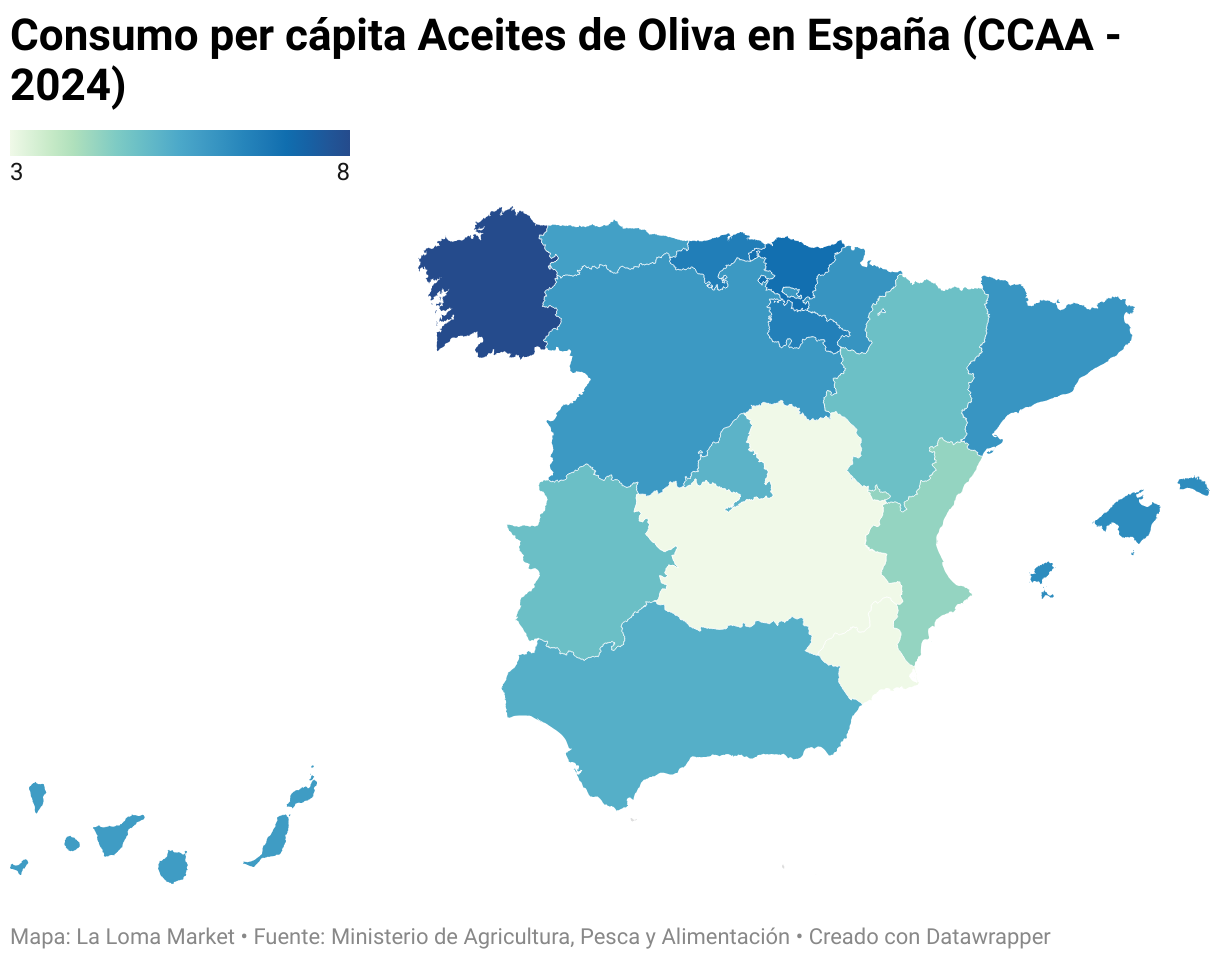
Datawrapper. I use it to create clear and simple charts. Perfect for quick reports or straightforward visualizations.
Code
Without being an expert programmer, I usually have to generate my own code (assisted by ChatGPT) or review and modify existing code. These are some of the utilities I use for this purpose:
Beautifier.io. I use it to format and beautify code snippets quickly. Very useful for sharing or reviewing scripts with a readable structure.
Sprint. I use it to validate JavaScript syntax. It helps me find bugs before uploading changes to production.
JSON Formatter. Tool I use to organize JSON files and make them more readable. Fundamental when working with APIs.
Paiza.IO. Online environment for testing code in different languages without installing anything. Ideal for quick tests. I use it a lot for PHP.
Postman. My reference for testing and documenting APIs before starting with integrations. I use it in both professional and personal projects.
Node.js. I use it to run scripts locally outside the browser. It gives me flexibility to automate and simulate server environments.
Notepad++. Lightweight editor for technical notes and quick code edits. I find it very handy for small tasks, as well as for taking quick text notes on a temporary basis.
Sublime Text. Versatile editor that I use when I need to work with several files at once. I like it for its speed, dark interface for code and shortcuts.
FTP and monitoring
When you work with online projects, sooner or later you have to move files to servers or make sure your websites are always available. For those tasks I rely on these basic utilities:
WinSCP. It is a manager for transferring files via FTP or SFTP similar to FileZilla. I especially like it because it allows me to schedule tasks locally in Windows for my InvesTracking update processes.
UptimeRobot. Tool that monitors the availability of websites and servers. It warns me in case of downtime, something critical in online projects.
Automation and no-code
We come to one of my favorite parts: the automation of processes and marketing actions. Among the former, I will introduce you to some alternatives to Zapier and Make, the most popular ones. Among the latter, an onsite marketing tool that will allow you to squeeze a little more user interactions on your website.
Pabbly Connect. I use it to create automatic workflows between different apps. It’s a lightweight and inexpensive alternative to Zapier, with Lifetime plans.
ActivePieces. Open source tool that I use to set up simple automations. Ideal when I don’t want to depend on expensive SaaS. I have a Lifetime license that I bought from AppSumo.
Albato. Platform that connects services and automates processes, some of them already detailed in the blog. I use it as a complement to other connectors. Also acquired in AppSumo.
Boost.Space. A process automation tool that integrates the Make engine. Very useful if you are looking for a replica to the old Integromat. From time to time it appears on AppSumo with its Lifetime Deal.

Claspo. I use it to create forms, banners, popups and lead capture widgets in my eCommerce with advanced execution rules, with a wide variety of creativities and integrations. Very practical in environments where fast integration is required. I also purchased the license from AppSumo.

Alternatives for PDF and compression
In everyday work, PDFs and compressed files are omnipresent: reports, contracts, deliverables or backups. That’s why it always pays to have lighter and faster alternatives to the default Adobe or WinRAR options:
Foxit Reader. My lightweight PDF reader. I open it instead of Acrobat because it is much faster for reviewing documents, limiting the use of the latter only to the digital signature of documents.
7-zip. Reliable and free file compressor. I use it both for packing files and for opening less common formats.
System Utilities (Windows)
To be able to use all the above applications, your computer, in my case Windows, needs to be in good health and have resources to handle some maintenance or even recording tasks. Here are some ideas:
ImgBurn. If you are one of those who still use CDs or DVDs, this tool will help you burn ISO images to discs.
DAEMON Tools. With the same old vibrations as the previous tool, I use it to mount ISO images as virtual drives. It avoids the need to burn physical disks.
NIUBI Partition Editor. I use it to manage disk partitions. Useful to reorganize space without losing data.
Driver Booster. Tool that keeps Windows drivers up to date. Helps to avoid compatibility problems. I install and uninstall it from time to time to do these checks.
MemTest64. RAM memory diagnostics that I use when I suspect hardware errors. Very useful to rule out failures.
MiniTool Partition Wizard. Another partition management software that I use in maintenance tasks. It complements NIUBI.
HDD Low Level Format Tool. Low level disk formatting tool. I reserve it for maintenance or special deletion.
Disk Wipe. I use it to securely erase disks and partitions, avoiding sensitive data recovery.
Speccy. It gives me detailed information about my PC hardware. I use it for diagnostics and technical support. I also install and uninstall it only when necessary.
VNC. I use it to remotely access and control other computers, even from a smartphone. It is essential when I need to give support, check configurations or work on a computer without being physically in front of it. The free plan allows you to connect up to 3 computers. If you have elderly relatives with little digital knowledge, this tool will help you help them efficiently.

App Marketplace
Throughout this post I have mentioned AppSumo several times. It is a software store where you buy an application with a LifeTime-type license at affordable prices, with a 60-day trial and refund period. I use it to provide a solution to some needs that arise, although you have to keep some control so as not to fall into impulse purchases of applications that you don’t need later. Sometimes, it’s like making a bet: many of the tools are in their early stages of development and need a critical mass of users. If you buy them and they succeed, they work out well; others, on the other hand, are not successful and end up being abandoned.
I hope you found my digital toolbox useful, what tools do you have in yours?

